04 iPhone · iOS 17
From a Google Maps pin to your car's navi.
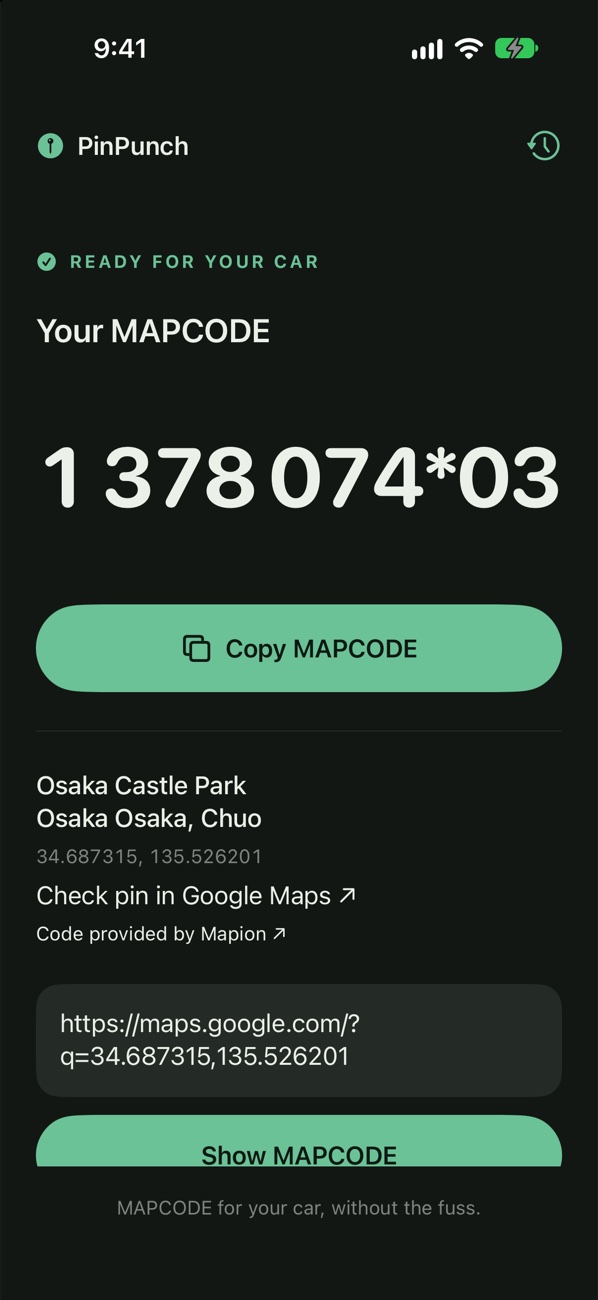
Many car navigation systems in Japan take a MAPCODE (マップコード). Share a place from Google Maps to PinPunch and the code shows up right in the share sheet, no need to open the app.
Preparing
CH 01
The code
1 378 074- The main code. It gets you to a unit of 1″, about 30 m.
*03- The extra precision digits. They split that unit 3 × 3, and 3 × 3 again.
In the car, enter it in the navi's MAPCODE (マップコード) search. Car navi in Japanese is カーナビ.
The code is worked out on the iPhone, so a car park with no signal is fine.
CH 02
Three steps
- Google MapsPick a place, an address or a dropped pin.
- Share → PinPunchThe first time it's Share → More → PinPunch. Add it to your share-sheet favourites to make it quicker next time.
- The naviPunch in the code.
CH 03
Trip list
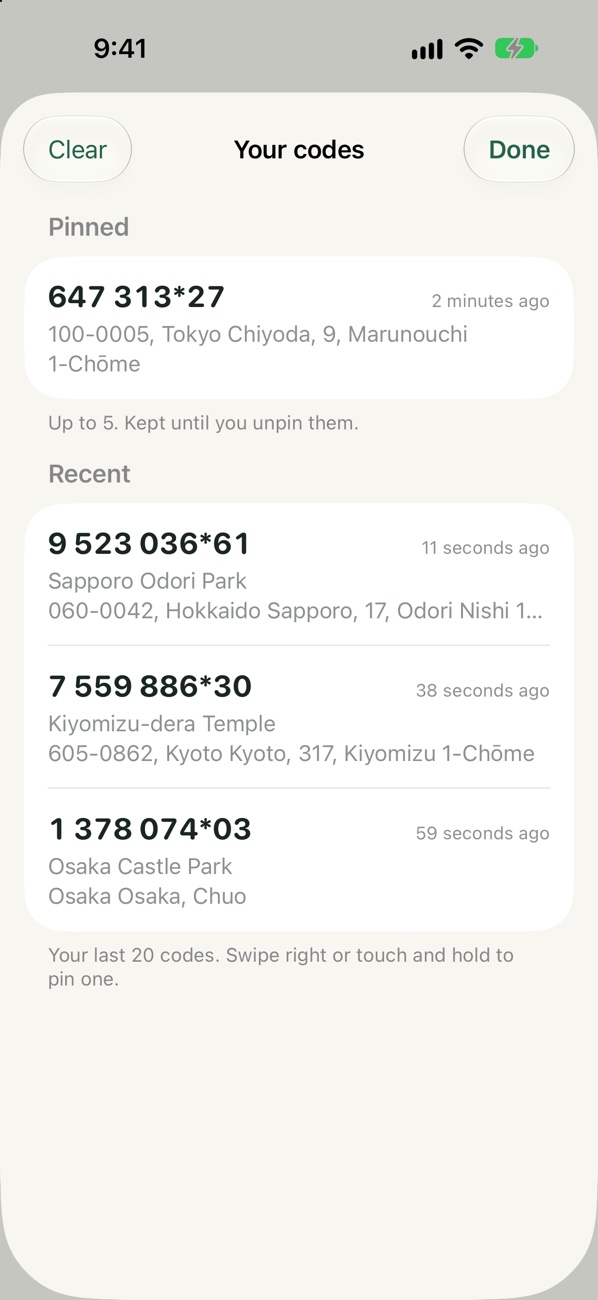
Look up the whole trip before you pick up the car. The clock button lists your last 20 codes and up to 5 pinned ones, including ones from the share sheet. Clear removes the unpinned ones.
CH 04
Questions
How do I use PinPunch?
In Google Maps, open a place or address, or press and hold to drop a pin. Tap Share, then More, then PinPunch. The code appears in the share sheet. To make it quicker next time, add PinPunch to your share-sheet favourites. You can also paste a Google Maps link into the PinPunch app.
What does “Closest match” mean?
Some Google Maps links don't contain the exact pin. When that happens, PinPunch uses the best location it can find and labels the code Closest match, with the reason. Check the address shown before relying on it.
What's the part after the *?
The digits after * pinpoint the spot to within a few metres. Enter them if your car's navigation accepts them; the first part on its own gets you to within about 30 metres.
Preparing
MAPCODE is a registered trademark of DENSO Corporation. PinPunch is not affiliated with or endorsed by DENSO, Google or Mapion.
Next Tools →