06 Mac menu bar · macOS 11
Flick
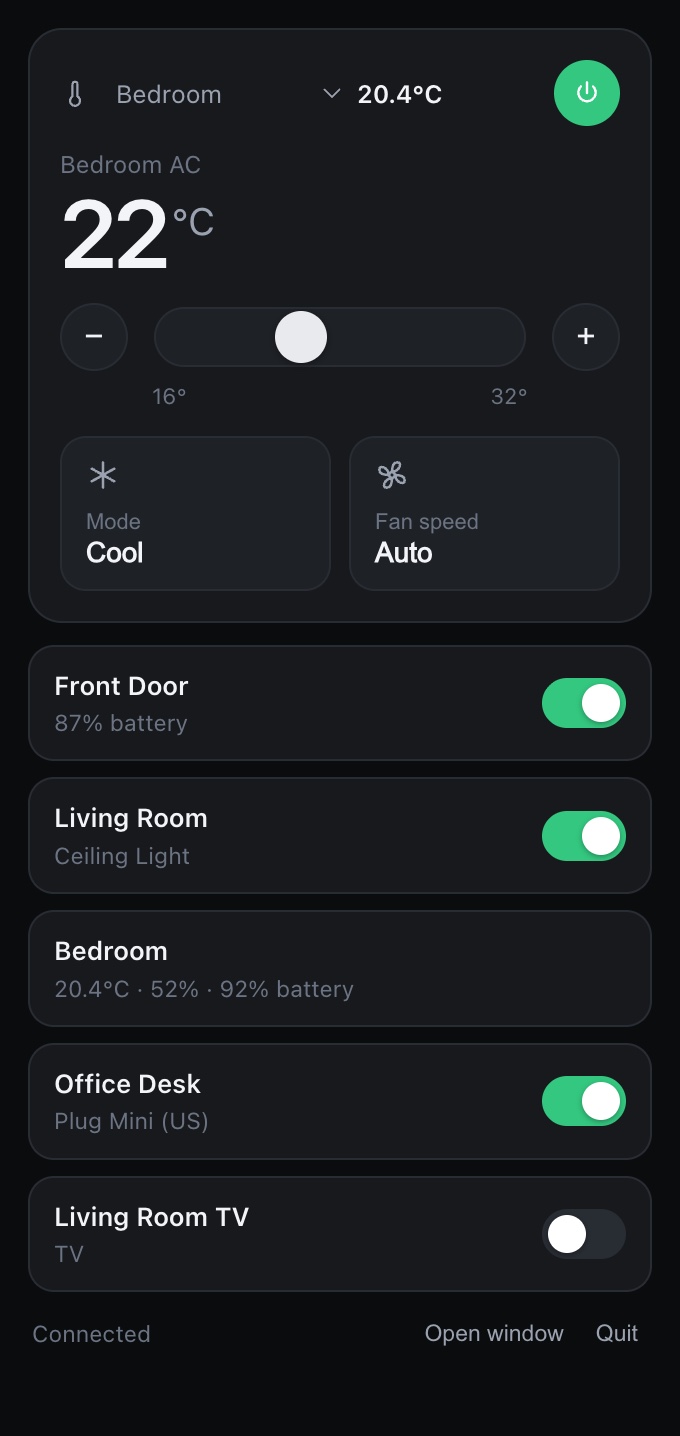
SwitchBot in your Mac's menu bar.
Preparing
Freeboot of: the SwitchBot app (unofficial)
Kept
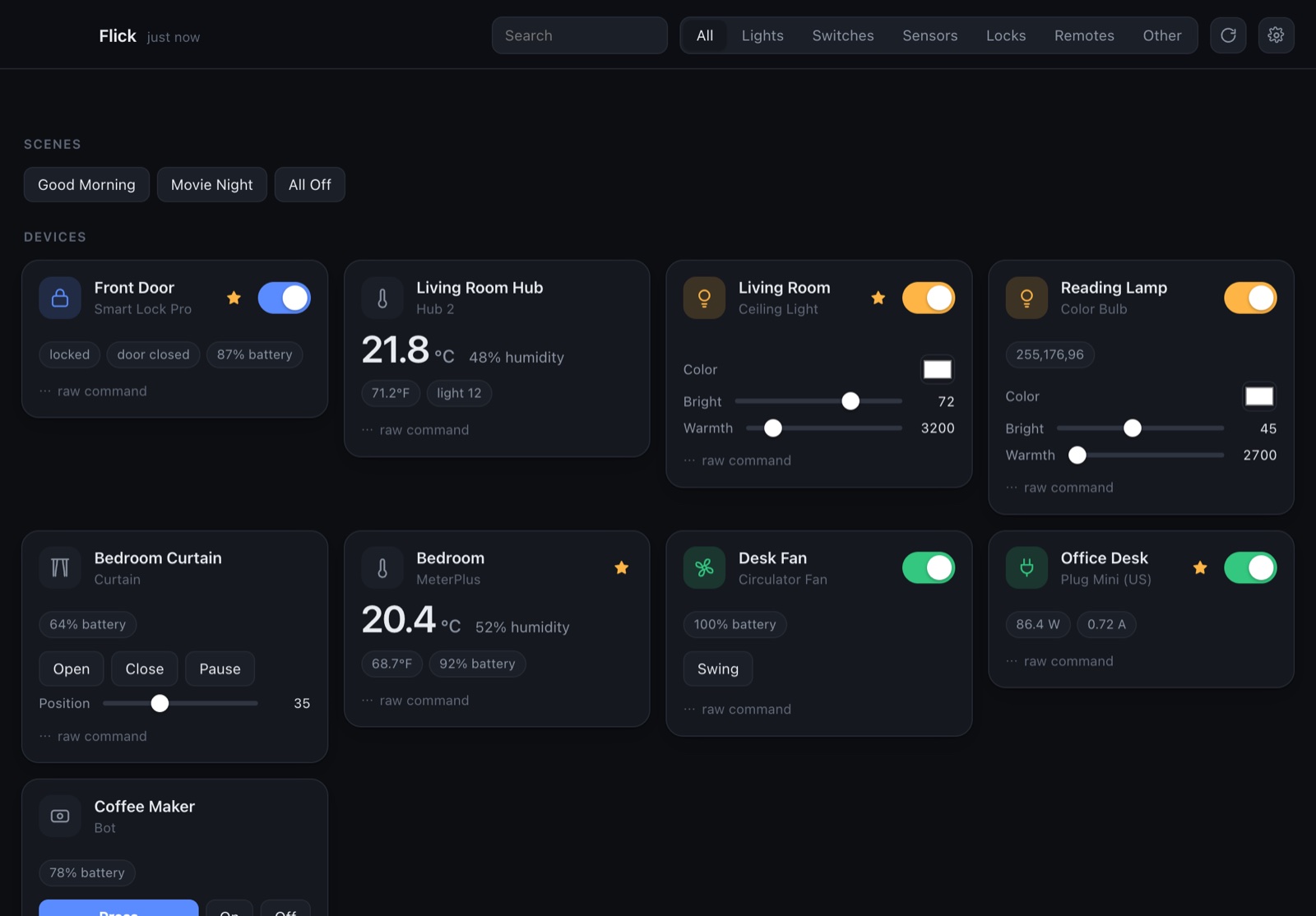
- Every device in your account, with its readings and controls
- Scenes as one-click buttons
- Full air-con control: temperature, mode and fan speed
- Filter by lights, switches, sensors, locks or remotes, or search
Cut
- Picking up your phone to flip a switch
- Any server in between
- A separate account to make
Spec
- Runs on
- Mac menu bar, plus a full window
- Requires
- macOS 11 · Open at Login needs macOS 13
- Network
- SwitchBot cloud API v1.1, requests signed on the Mac
- Stores
- Token and secret in the Keychain
- Appearance
- Follows macOS, light or dark
- Build
- A Swift shell around a web UI
- Status
- Preparing
Set it up
It uses SwitchBot's official cloud API with your own key, so it sees the same devices as your phone.
- In the SwitchBot app: Profile → Preferences → tap App Version ten times → Developer Options → Get Token.
- Paste the token and secret key into Flick and choose Save & connect. Your devices and scenes appear.
- Star the devices you reach for most, and they're in the menu bar from then on.
Unofficial. Flick isn't made by, affiliated with or endorsed by SwitchBot or Wonderlabs.